

The Credential Crisis: Why Your Valid Accounts Are Attackers' Favorite Weapon
How Hackers Are Walking Through Your Front Door With Stolen Passwords (And What You Can Actually Do About It)

Stolen usernames and passwords are now the #1 way attackers break into organizations. This newsletter explains how they’re doing it and what you can do to stop them.
What Are Credential-Based Attacks?
A credential-based attack is when a hacker uses a real, legitimate username and password to break into your systems. Instead of finding a flaw in your software or tricking you into downloading malware, they simply log in the same way you do every morning.
Think of it this way: if your office building has incredible security with cameras, alarms, and reinforced doors, but someone steals an employee badge and walks right through the front entrance, that’s a credential-based attack. The security systems see a valid badge and let them through. Your digital security systems work the same way. When someone logs in with a real username and password, the system assumes they’re supposed to be there.
This is exactly why these attacks have become so popular. They’re effective, they’re relatively easy, and they often go undetected because the attacker looks like a legitimate user.
The Problem: Your Front Door Is Wide Open
In 2025, we’re watching a fundamental shift in how organizations get compromised. Attackers have largely abandoned the messy work of exploiting software vulnerabilities. Why break through walls when you can just use the front door?
The numbers tell a stark story: From our September reporting, it’s clear that using valid accounts to break into systems is the single most prevalent attack method across all critical infrastructure sectors. In fact, there were 126 documented incidents across critical infrastructure last month. Just this year, Scattered Spider (one of the most brazen cybercriminal groups) compromised multiple banking institutions by exploiting password reset processes. They didn’t need sophisticated zero-day exploits or custom malware. They just convinced a help desk employee to reset a password.
How Attackers Are Stealing Your Credentials
Phishing: Modern phishing campaigns use adversary-in-the-middle frameworks that can bypass traditional multi-factor authentication (MFA, those codes you get on your phone) by intercepting session tokens in real-time. These aren’t obvious spam emails anymore. They’re pixel-perfect replicas of your company’s actual login pages.
Password Reset Exploitation: Attackers research targets on LinkedIn, understand the company structure, and call the help desk armed with enough information to sound legitimate.
Buying Access: Initial Access Brokers focus exclusively on obtaining valid credentials and selling them on dark web marketplaces. For as little as $1,000, ransomware operators can buy access to your network. It’s like a thief that breaks in to your house and then sells their break-in technique to other thieves.
Info-Stealer Malware: These tools steal saved passwords from browsers, credential managers, and session cookies (the digital tokens that prove you’ve already logged in), giving attackers everything they need to impersonate legitimate users.
Why Traditional Defenses Are Failing
Here’s the uncomfortable truth: most security controls are designed to detect anomalous behavior. But when attackers use valid credentials, their behavior looks completely normal to your security tools.
Even Multi-Factor Authentication is being systematically bypassed through:
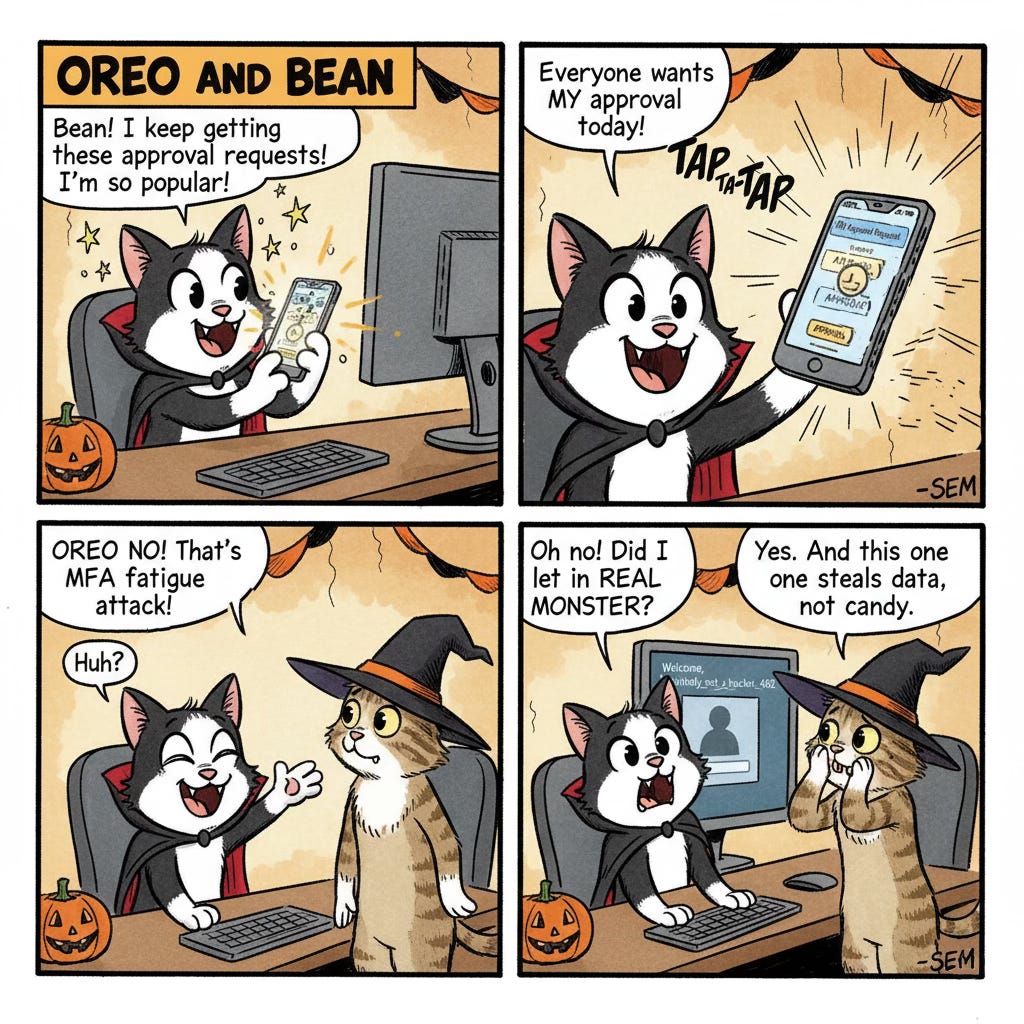
MFA fatigue attacks: Spamming users with approval requests until they accept one
Session token theft: Stealing the authentication cookie after MFA has been completed
SIM swapping: Taking over phone numbers to intercept SMS codes
Social engineering: Convincing help desk staff to reset or bypass MFA
Defense Strategies: What You Can Do Right Now
For Individuals: Protecting Your Personal Accounts
1. Check if Your Credentials Have Been Compromised
Visit HaveIBeenPwned.com and enter your email address. This free service contains over 13 billion compromised credentials from known data breaches. If your email appears, immediately change passwords for any affected accounts, especially if you’ve reused those passwords elsewhere.
2. Use a Password Manager
Use a password manager like Apple Passwords, Bitwarden (free), 1Password, or Dashlane. These tools generate unique, complex passwords for every account. This means when one website gets breached, attackers can’t use that password to access your other accounts.
3. Enable Better MFA
Start with your email, banking, and social media accounts. But not all MFA is equal:
Avoid SMS codes (they can be intercepted)
Use authenticator apps like Microsoft Authenticator or Authy
Best option: Hardware security keys like YubiKey (around $25-50)
4. Be Suspicious of Unexpected Password Resets
If you receive an unexpected password reset email or MFA request you didn’t initiate, don’t click it. Go directly to the service’s website and check your account.
For Business Leaders and Managers
1. Eliminate Expired and Dormant Accounts
Former employee accounts should be disabled the same day someone leaves
Any user account unused for 90+ days should be disabled pending review
Service accounts (used by software programs) are often forgotten and over-privileged
Shared accounts should not exist
Action Item: Run a report today showing all accounts that haven’t authenticated in 90 days.
2. Implement Phishing-Resistant MFA
Move away from SMS codes and simple push notifications. Transition toward:
FIDO2 hardware security keys (physical USB devices like YubiKey)
Platform authenticators (Windows Hello or Touch ID)
Certificate-based authentication
These methods use cryptographic proof that can’t be phished.
3. Strengthen Help Desk Procedures
Always call back users at registered numbers before password resets
Use a separate channel (like Slack or Teams) to confirm identity
Password resets and MFA bypass requests require manager approval
Train help desk staff on social engineering tactics
4. Implement Conditional Access Policies
Only allow access from managed, up-to-date devices
Block authentication from countries where you don’t operate
Require additional verification when login patterns are unusual
Administrative access outside business hours triggers verification
For Security Professionals
5. Deploy Privileged Access Management (PAM)
Control and monitor access to administrative accounts with:
Just-In-Time access (admin privileges granted only when needed)
Session recording for audit purposes
Automated password rotation
Emergency access procedures that trigger alerts
6. Deploy Identity Threat Detection and Response (ITDR)
Focus specifically on detecting compromised credentials:
Impossible travel detection (authenticated from New York, then Tokyo 30 minutes later)
Anomalous access patterns (developer suddenly accessing HR systems)
Credential and password spray detection
Tools to consider: Microsoft Defender for Identity, CrowdStrike Falcon Identity Protection, Semperis Directory Services Protector
7. Hunt for Compromised Credentials Proactively
Monitor when your domain appears in credential dumps
Test password policies against known compromised password databases (HaveIBeenPwned)
Query your SIEM (Security Information and Event Management system) for unusual authentication patterns
The Real-World Impact
In January 2025, Scattered Spider compromised several major banking institutions using nothing more than social engineering. They researched employees on LinkedIn, called the help desk pretending to be them, convinced staff to reset passwords and bypass MFA, then gained access to Azure AD (Microsoft’s cloud-based identity management system) administrative portals. The entire initial compromise took less than 24 hours using zero malware and zero software vulnerabilities.
This is the threat landscape we’re operating in. Attackers have realized that the weakest link isn’t your technology. It’s your people and processes around credential management.
Your Action Plan: Start Today
For individuals:
Check your email on HaveIBeenPwned.com (5 minutes)
Set up a password manager (1-2 hours)
Enable MFA on critical accounts (30 minutes)
Purchase hardware security keys for important accounts ($50, 1 hour)
For business leaders:
Audit and disable dormant accounts (2 hours)
Enable MFA organization-wide (1 day)
Implement help desk callback verification (1 week)
For security teams:
Migrate to phishing-resistant MFA (30-day project)
Deploy conditional access policies (45-day project)
Implement PAM for administrative accounts (90-day project)
The Bottom Line
Credential-based attacks are winning because they’re the path of least resistance. Attackers don’t need sophisticated malware when they can just use your own credentials against you. But the defenses work. Whether you’re protecting personal accounts or securing an enterprise, these steps will make you a significantly harder target. Hard enough that attackers move on to easier victims.
The question isn’t whether your credentials will be targeted. It’s whether you’ll make it hard enough that attackers give up and move on.
About Intruvent Technologies: We provide threat intelligence and security services that help organizations understand and defend against real-world attacks. Our BRACE Platform is an AI Enhanced Cyber Threat Intelligence system that identifies and reports on cyber threats.
Sources: Intruvent BRACE research, MITRE ATT&CK Framework, CISA Alerts, Microsoft Threat Intelligence, CrowdStrike Intelligence, Mandiant APT Reporting
Last Updated: October 13, 2025
Thursday’s Intruvent Edge newsletter will delve into some eye-opening stats and findings from our critical infrastructure reporting for September.
Have questions about implementing these defenses? Reach out to our team. We’re here to help.