

Prevent This: The Invisible Middleman
What are Man-in-the-Middle Attacks? And How Can You Defend Against Them?

What Happened?
Last week, security researchers at Datadog discovered an active attack campaign targeting web servers around the world. And the scary thing: Attackers are compromising NGINX servers, the software that powers roughly one-third of all websites, and quietly rerouting visitor traffic through their own systems.
No malware on your computer. No suspicious downloads. No warning signs. You visit a website you trust, type your password, and everything flows through an attacker’s system first. They see it all: login credentials, session cookies, credit card numbers, private messages.
The attackers are targeting government websites (.gov), educational institutions (.edu), and sites across Asia. They gain access to a server, edit a few lines in a configuration file, and every visitor becomes a victim without knowing it.
The campaign exploits a vulnerability called React2Shell that attackers have been using since December. Over 1,000 unique attackers have been scanning for vulnerable servers in the past two weeks alone.
The good news? There is a simple setting in your browser that protects you from most of these attacks. It takes thirty seconds to turn on, and we will show you how.
Why Should You Care?
You could do everything right: use a strong password, avoid suspicious links, keep your software updated. None of that matters if the website itself has been compromised at the server level.
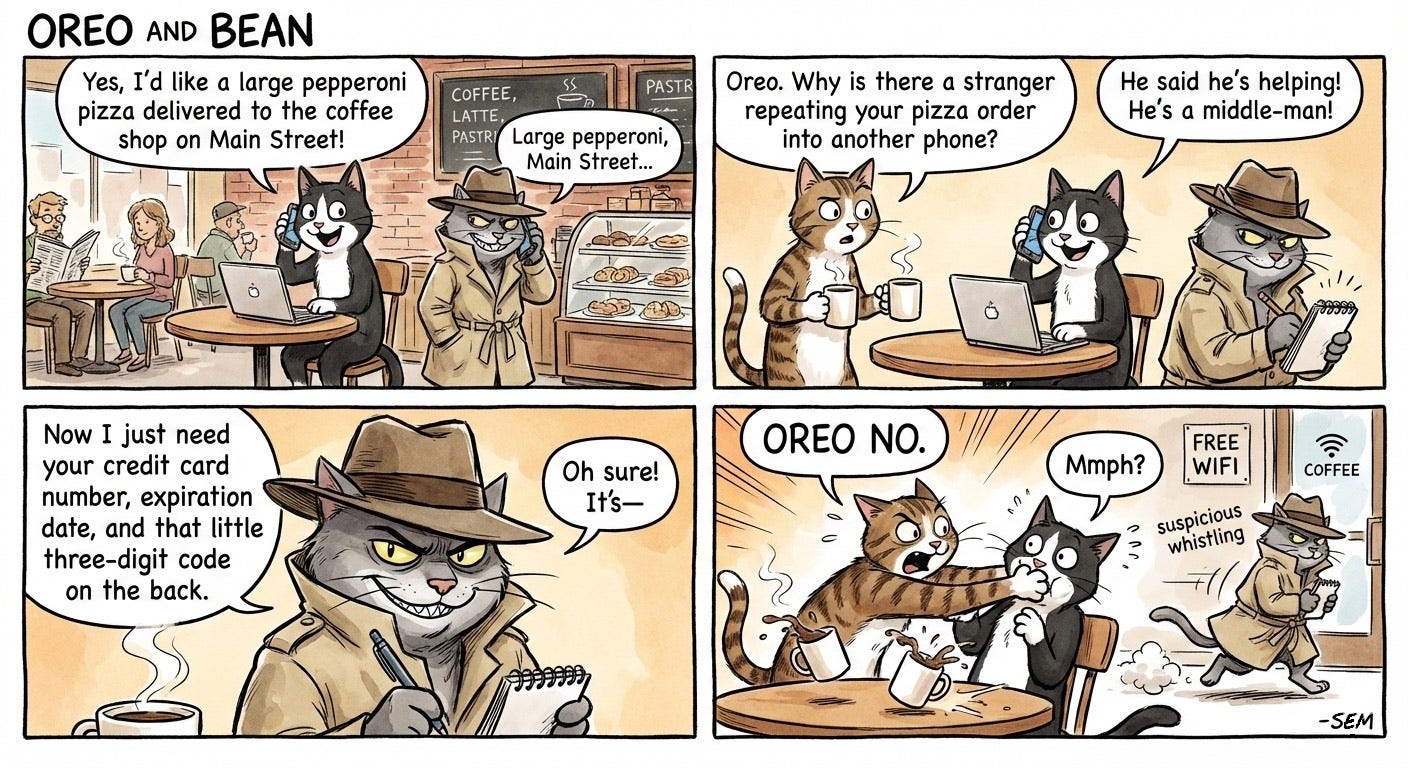
Think of it like this. You call your bank using the official phone number, but someone has secretly rerouted all calls through their phone first. You hear the bank’s hold music, you talk to what sounds like a real representative, but every word passes through an eavesdropper who writes down your account numbers.
This is called a man-in-the-middle attack, and it is happening right now at scale.
According to a CISA advisory (from 2015), this happened to an entire line of computers: “Lenovo consumer personal computers employing the pre-installed Superfish VisualDiscovery software contain a critical vulnerability through a compromised root CA certificate. Exploitation of this vulnerability could allow a remote attacker to read all encrypted web browser traffic (HTTPS), successfully impersonate (spoof) any website, or perform other attacks on the affected system.”
Public Wi-Fi makes the risk worse. Coffee shops, hotels, and airports are prime hunting grounds for attackers who set up fake networks or intercept unencrypted traffic. According to the FBI, public Wi-Fi cyberattacks increased 47% in 2024, with hotels ranking as the third most targeted location after airports and coffee shops.
The attackers do not need to be sophisticated. They just need you to be unprotected.
A Quick Primer: HTTP vs HTTPS
Before we get to what you can do, you need to understand the lock icon in your browser.
HTTP (Hypertext Transfer Protocol) is how your browser talks to websites. It was invented in the 1990s when the internet was mostly academics sharing research papers. Security was not a priority because nobody was stealing credit cards online yet.
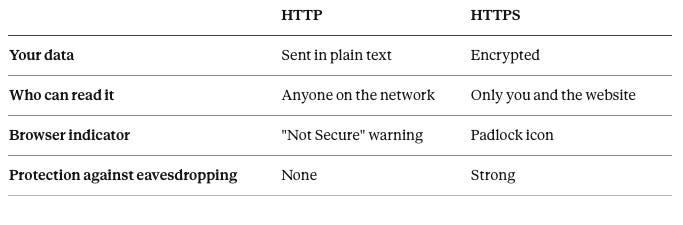
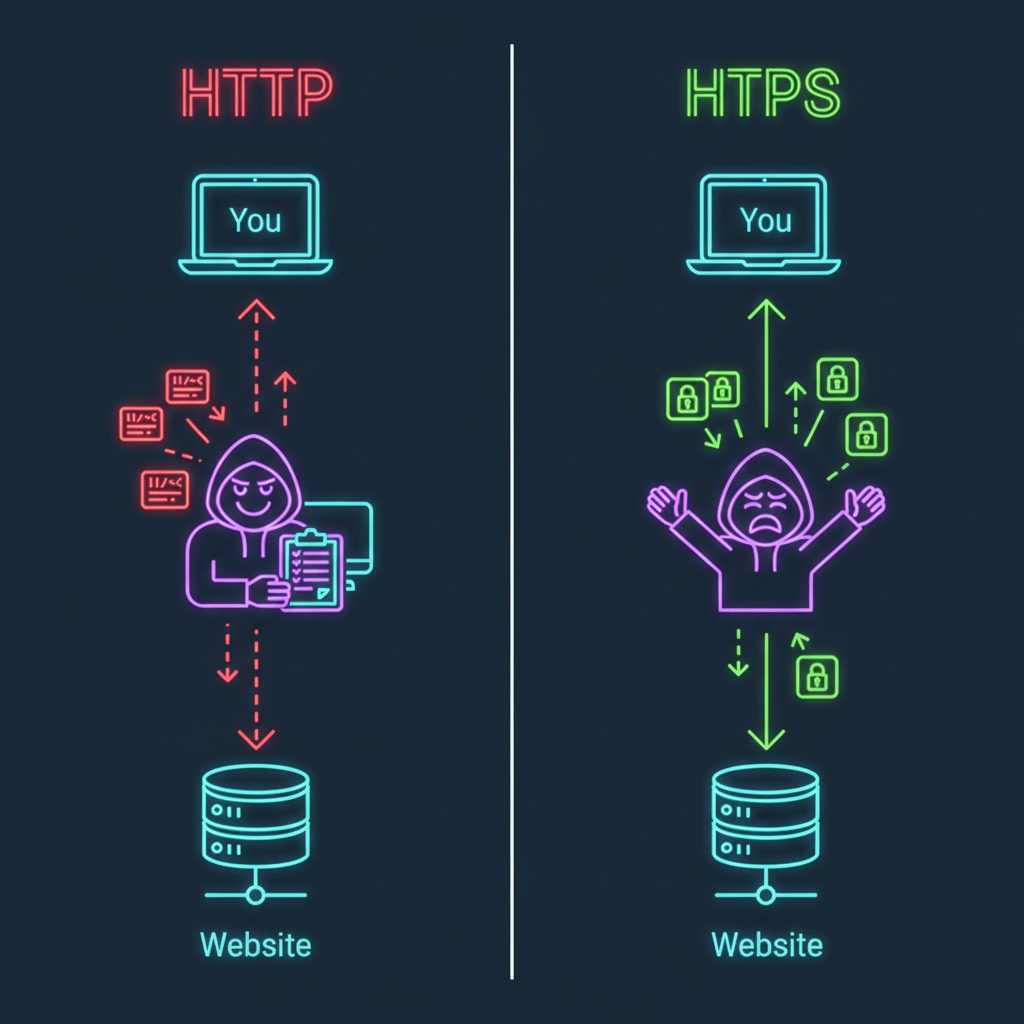
HTTP sends everything in plain text. If you log into a website using HTTP, your username and password travel across the internet like a postcard. Anyone along the way can read it.
HTTPS adds encryption. The S stands for Secure. When you connect to an HTTPS site, your browser and the server create a shared secret that only the two of them understand. Even if someone intercepts the data in transit, they see only scrambled nonsense.
Here is what changes:
As of 2025, roughly 98% of web traffic in the United States uses HTTPS. That sounds reassuring until you realize that the remaining 2% still represents millions of connections per day. Attackers only need one weak link.
How Do These Attacks Work?
The NGINX hijacking campaign works by modifying how servers route traffic. Normally, when you visit a website, your request goes directly to that site’s server, which sends back the page you requested.
Attackers inject malicious instructions into the server’s configuration files. Now when you visit, your request still reaches the real server, but it passes through attacker-controlled systems along the way. The attacker captures your data, forwards it to the legitimate destination, and sends you back a normal-looking response.
You notice nothing. The website works fine. But the attacker has recorded everything: your login, your session, your payment details.
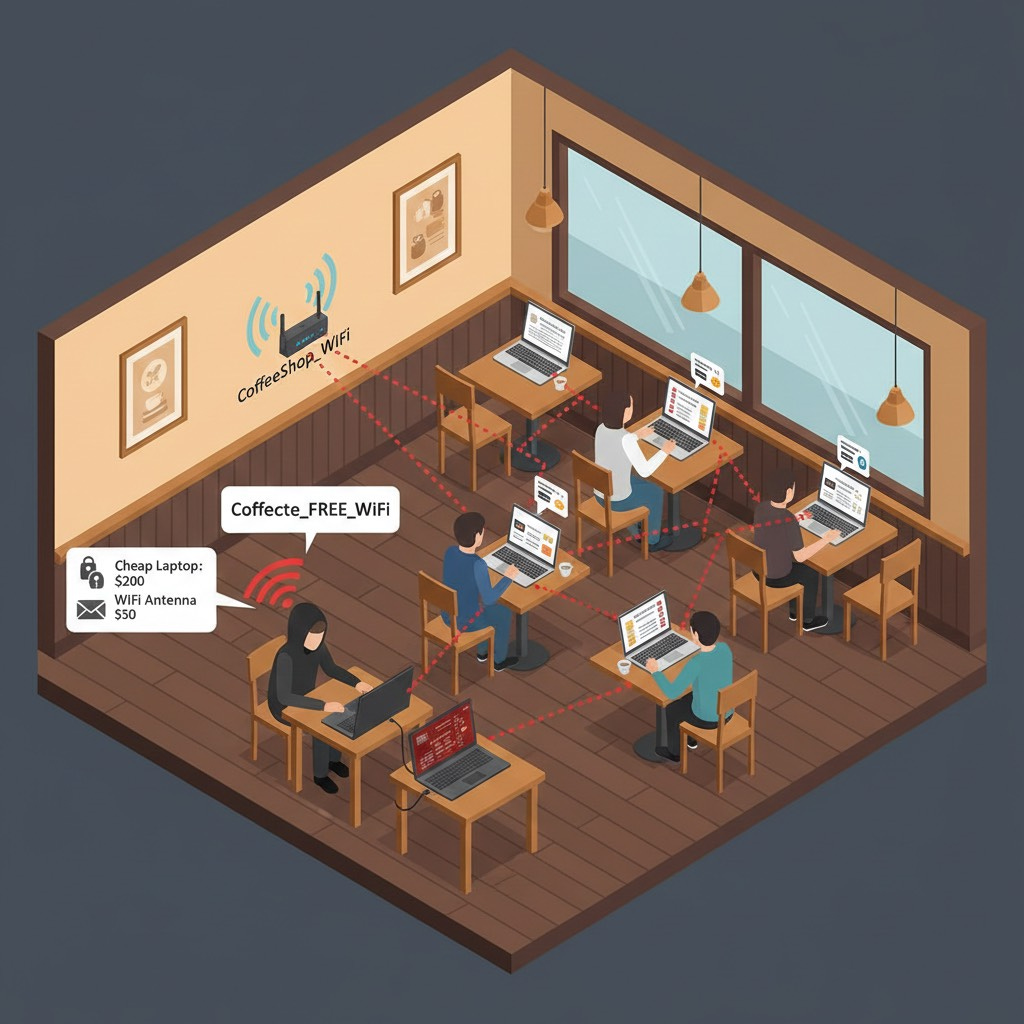
Man-in-the-middle attacks on public Wi-Fi work the same way. Attackers set up fake hotspots with names like “CoffeeShopFreeWiFi” or “HotelGuest” that look legitimate. Connect to one, and all your traffic flows through their device. Some attackers skip the fake network entirely and just use packet-sniffing tools to monitor all unencrypted traffic on a shared network.
HTTPS defeats both attacks. Even if traffic passes through a malicious server or a compromised network, encryption ensures the attacker sees only scrambled data they cannot read.
What Can You Do?
1. Enable HTTPS-Only Mode in Your Browser
Modern browsers can force HTTPS connections automatically. If a site does not support HTTPS, you will see a warning before connecting. Here is how to turn it on:
Chrome: Settings > Privacy and Security > Security > Toggle “Always use secure connections”
Firefox: Settings > Privacy & Security > Scroll to HTTPS-Only Mode > Select “Enable HTTPS-Only Mode in all windows”
Edge: Settings > Privacy, search, and services > Security > Toggle “Automatically switch to more secure connections”
Safari: This is enabled by default on Safari 15 and later. Safari automatically upgrades HTTP to HTTPS when available.
Brave: HTTPS-Only mode is on by default.
Google Chrome will make HTTPS-Only mode the default for all users starting in October 2026. No reason to wait.
2. Watch for the Padlock
Before entering any sensitive information, check the address bar. A padlock icon means your connection is encrypted. If you see “Not Secure” or the padlock is missing, do not enter passwords, payment information, or anything personal.
One important caveat: the padlock only means your connection is encrypted. It does not guarantee the website itself is legitimate. Attackers can obtain HTTPS certificates for phishing sites. But a missing padlock is always a red flag.
3. Be Cautious on Public Wi-Fi
Treat public networks as unfriendly territory. Airports, coffee shops, hotels, and anywhere offering free Wi-Fi deserve extra caution.
Before connecting, verify the exact network name with staff. Attackers create “evil twin” networks with names like “Starbucks_Free” hoping you connect without checking. Disable auto-connect for Wi-Fi networks so your device does not join unknown networks automatically.
If you must use public Wi-Fi for anything sensitive, consider using a VPN. A VPN encrypts all your traffic, making it unreadable even on a compromised network. Do your research before choosing a VPN provider, as quality and privacy practices vary significantly.
Better yet, use your phone’s cellular data for banking, email, and anything involving passwords. Cellular networks are significantly harder to intercept than Wi-Fi.
4. Disable File Sharing and Bluetooth
On public networks, turn off file sharing (Windows: Network and Sharing Center; Mac: System Preferences > Sharing) and Bluetooth. Both can be exploited by nearby attackers looking for easy targets.
5. Keep Software Updated
Many server compromises, including the React2Shell vulnerability behind the NGINX campaign, exploit known bugs that have already been patched. Updates close the doors that attackers use to get in.
The Bottom Line
HTTPS is no longer optional. It is the minimum baseline for safe browsing. A single letter in your browser’s address bar determines whether your passwords, messages, and payment details are protected or exposed.
Enable HTTPS-Only mode today. It takes thirty seconds and costs nothing. Be skeptical of public Wi-Fi. Verify the padlock before trusting any site with your information.
The attackers behind the NGINX campaign did not need to hack your computer. They compromised the servers between you and the websites you trust. Encryption is your defense against middlemen you will never see.
Check for the lock. Use HTTPS.
Research Sources: Datadog Security Labs (February 2026), SecurityScorecard HTTPS Research, EFF HTTPS Everywhere Documentation, GreyNoise React2Shell Exploitation Data, FBI IC3 Public Wi-Fi Statistics, Norton Public Wi-Fi Risk Assessment, Surfshark 2026 Public Wi-Fi Guide
Last Updated: February 10, 2026