

Prevent This: Life Event Scams
Grief, divorce, illness, job loss. Scammers have a playbook for all of them. We have a playbook to counter it.

A reader of this newsletter reached out to me this week with two stories that really hit home with me.
The first: several of her friends, all women in their 70s and 80s, have been targeted by scammers after their husbands passed away. Accounts taken over. Identities stolen. Fraud that started within days of the obituary going live. She wanted to know if this was a known pattern or just terrible luck.
It is a known pattern. A well-documented, growing, and organized one. We will get into the details below.
The second: she received a suspicious email claiming a close friend was in the hospital and needed help. When she responded, the person on the other end seemed to know a lot about her friend, enough that it felt real. They described the injury, referenced details that checked out. Then they asked her to send DoorDash gift cards to help cover expenses while her friend recovered.
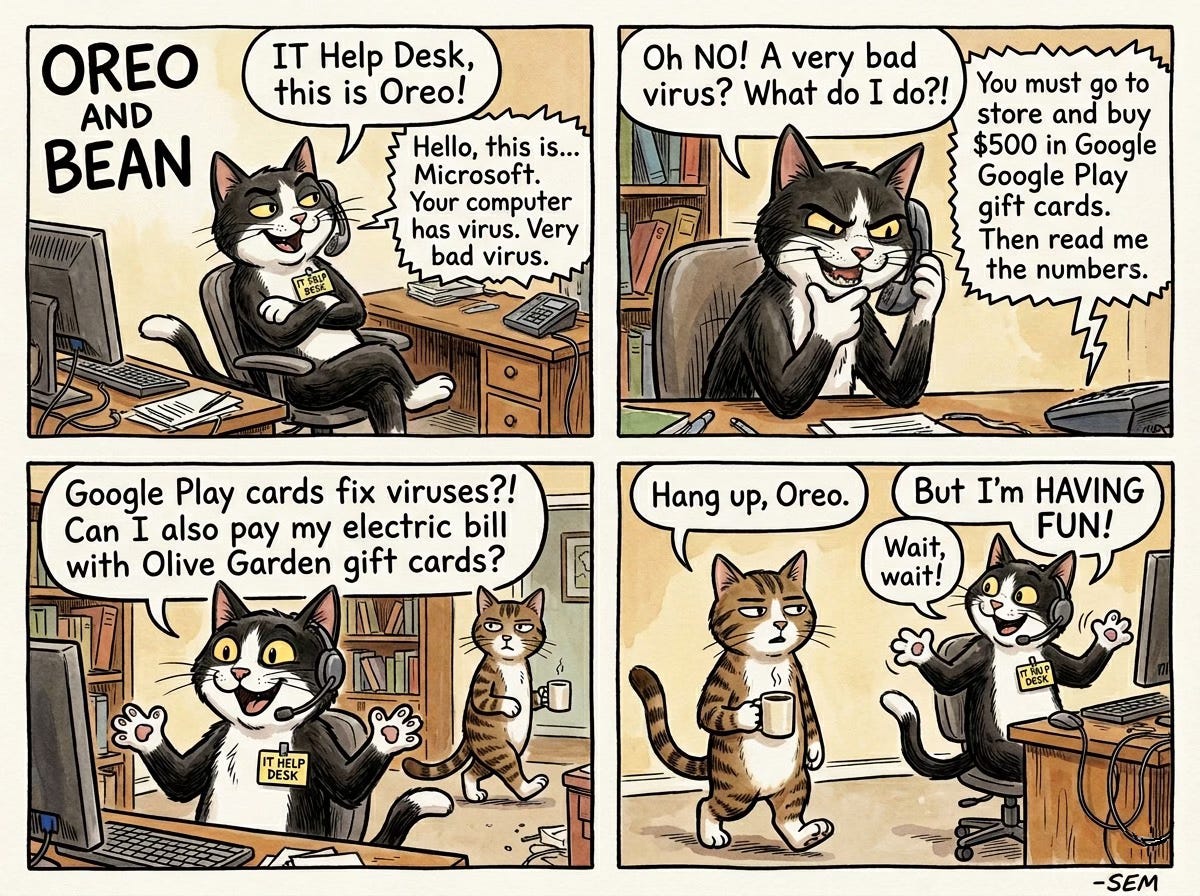
That is where her training kicked in. As a reader of Prevent This, she recognized the gift card request for what it was: the unmistakable fingerprint of a scam. No hospital, no doctor, no friend in genuine need has ever asked for DoorDash gift cards. She did not send them.
But the experience shook her. The scammer knew too much. The story was too specific. And she asked the question that inspired this edition: what can I do right now, today, to make sure I do not become an actual victim?
This newsletter is the answer. Part 1 covers the bereavement scam pattern and what to do if you or someone you love is going through a loss. Part 2 is a quick-start security checkup, the essentials that anyone can knock out today to raise their baseline protection.
Her friends’ experiences are far from unique. Here is what the pattern looks like when it shows up in the news.
What Happened?
A suburban Chicago widow published her husband’s obituary in January. By April, someone had quietly forwarded her mail to an unknown Chicago address without her knowledge. Fraudulent credit card charges started appearing: a hotel in Atlanta, tickets to the Atlanta Aquarium, $200 for cleaning services she never ordered. Scammers also attempted to open new credit cards in her name.
She caught it. Many do not.
The U.S. Postal Inspection Service reversed the mail forwarding and opened an investigation, but the damage extended beyond dollars. As the victim told NBC Chicago: “The emotional impact of this, even though there wasn’t any financial impact, is not going to go away for a while.”
She is far from alone. A 77-year-old widow named Marjorie Bloom received a call from someone claiming to be a “fraud investigator” at her bank. Over the following weeks, at the caller’s instruction, she liquidated everything: savings, stocks, an annuity. The total: $661,000. The scammer told her not to tell anyone, including her children, claiming secrecy was necessary to protect the investigation. By the time she realized what had happened, her entire nest egg was gone.
In Georgia, identity thieves used an obituary to redirect a deceased man’s mail just two days after his death, then opened new lines of credit in his name before his family had finished planning the funeral.
These are not isolated incidents. They are a pattern, and the pattern is accelerating.
Why Should You Care?
The numbers tell a grim story:
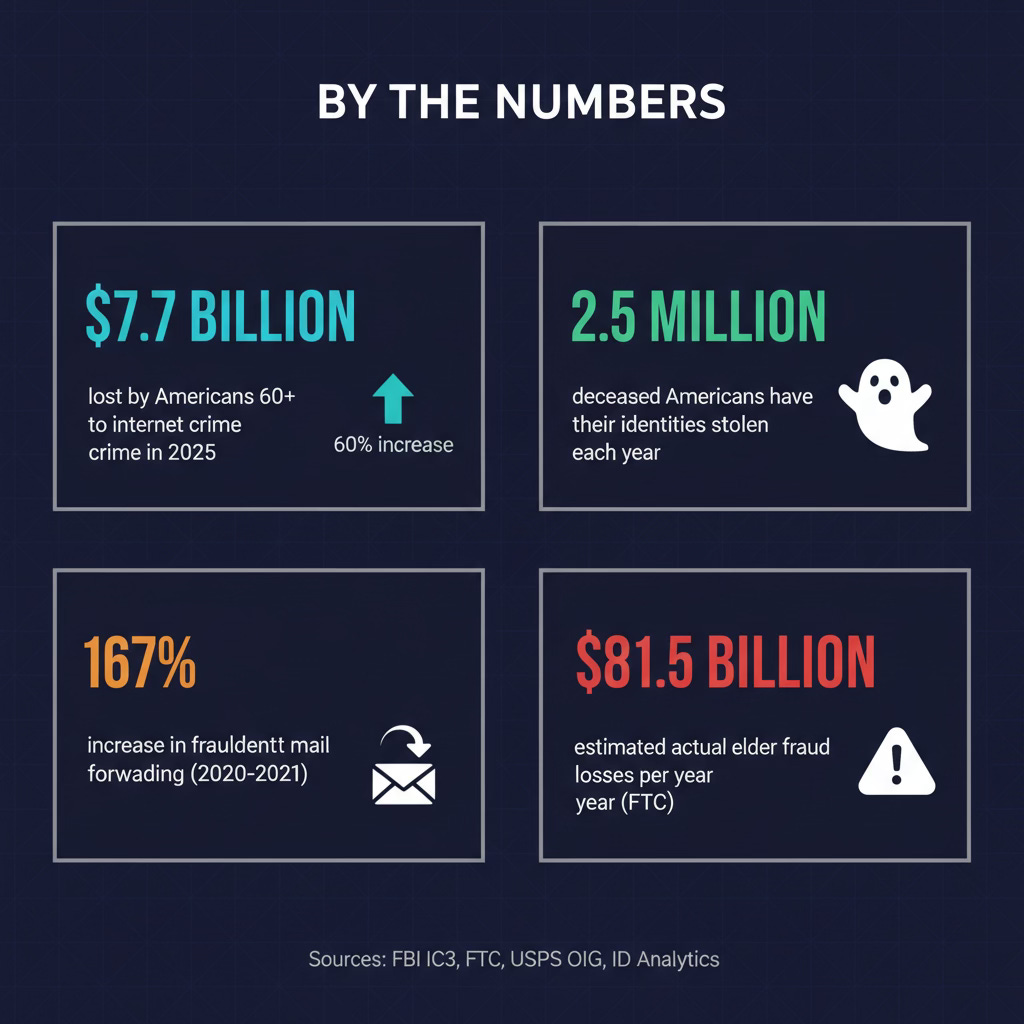
$7.7 billion lost by Americans 60 and older to internet crime in 2025, up 60% from 2024 (FBI IC3)
2.5 million deceased Americans have their identities stolen annually (ID Analytics study, corroborated by TIME and NBC News)
167% increase in fraudulent mail forwarding between 2020 and 2021 (U.S. Postal Inspection Service)
$584 million in romance and confidence scam losses targeting older adults in 2025 alone (FBI IC3)
The FTC estimates actual elder fraud losses may reach $81.5 billion per year when accounting for unreported cases
The FBI, FTC, AARP, multiple state attorneys general, and the VA have all issued specific warnings about scams targeting the recently bereaved. The FBI’s El Paso field office published a dedicated alert on “bereavement scams.” Michigan’s Attorney General warned the public about “obituary pirates” who scrape death notices. The LA County District Attorney’s office issued a fraud alert specifically about obituary-based targeting.
The pattern is organized, documented, and growing. And the people hit hardest are those least equipped to fight back: elderly widows navigating finances alone, often for the first time, during the worst period of their lives.
How Does This Work?
Think of it like reconnaissance before a burglary, except the reconnaissance is public and free.
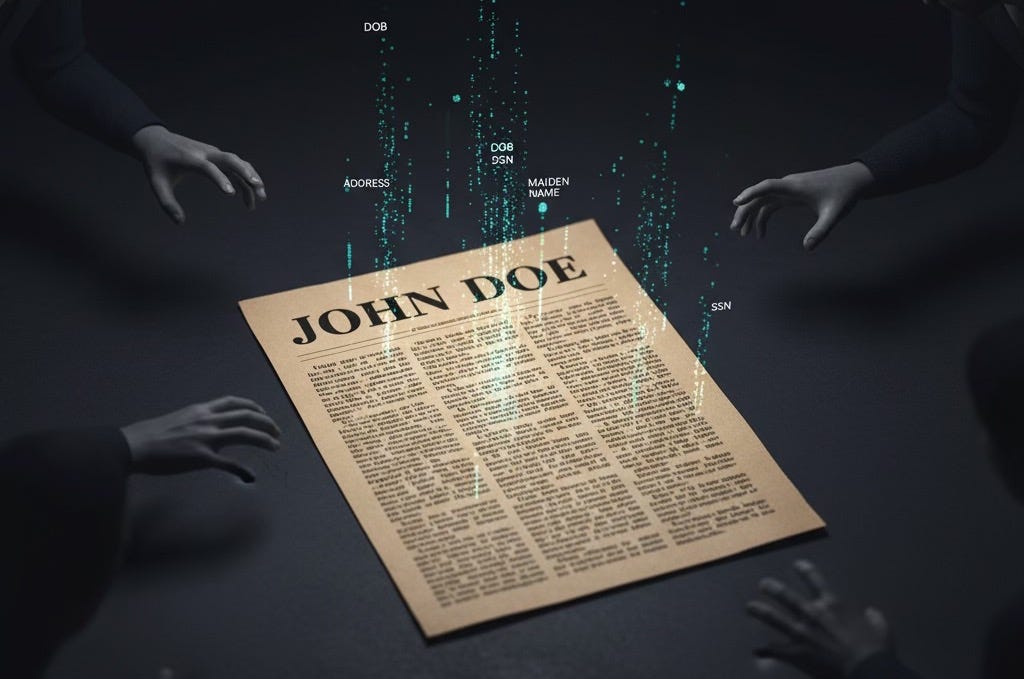
The obituary is ground zero. A typical obituary contains the deceased’s full name, date and place of birth, mother’s maiden name, home city, surviving family members, workplace history, church and club memberships, and the date, time, and location of funeral services. That is enough information to answer most security questions, build a complete social engineering profile, and even plan a physical burglary of a home that will be empty during the service.
The Better Business Bureau has warned directly: “They’re putting too much info into obituaries, especially mother’s maiden names and things like that actually needed for identity theft.”
But obituaries are only the start. Scammers have multiple channels feeding them targets:
Data brokers sell lists of the recently widowed. According to reporting from Komando.com and the Brennan Center for Justice, data brokers compile and sell categorized lists that include “Suffering Seniors” and lists sorted by life events, including bereavement. Scammers buy these lists because, as one analysis noted, “they assume there’s a life insurance payout and someone navigating money alone for the first time.” The CFPB proposed a rule in 2024 to restrict these sales. It was withdrawn in 2025. There is currently no federal regulation preventing this practice.
Probate records are public. In most U.S. jurisdictions, probate filings include heir names and addresses, detailed asset inventories, property descriptions, and executor contact information. Scammers monitor these filings to build target lists.
Social media fills in the gaps. Memorial posts, condolence threads, and tribute pages provide additional personal details that supplement what the obituary reveals. They also give romance scammers a way to identify and contact the surviving spouse.
AI makes all of this worse. According to Blackbird.AI research, threat actors now use language models to extract personal data from obituaries at scale, cross-reference it with news articles and social media, generate complete character profiles of plausible friends or acquaintances of the deceased, and craft messages with fabricated but contextually accurate “shared memories.” The FBI’s 2025 IC3 report documented over $893 million in AI-linked fraud losses, with older adults accounting for $352 million.
Once a target is identified, the attacks come in several forms:
“Ghosting” the deceased: Opening credit cards, taking loans, or filing tax returns using the dead person’s identity before financial institutions are notified. There is a gap between the time of death and when SSN databases are updated, and scammers exploit it.
Account takeover of the surviving spouse: Redirecting mail, resetting passwords, and draining accounts using obituary-sourced personal details and security question answers.
The Phantom Hacker: A three-phase scam where the victim is contacted first by a fake tech support agent, then by a fake bank representative, and finally by a fake government official, each reinforcing the last. This scam has stolen over $1 billion from seniors since 2024.
Romance scams: Scammers identify recently widowed individuals and initiate contact through dating sites, Facebook, or even “condolence” emails. They build emotional dependency over weeks or months before introducing financial requests.
Fake debt collectors: Callers claim the deceased had outstanding debts and pressure the surviving spouse for payment. In reality, the estate (not the survivor) generally bears liability for a deceased person’s debts unless the survivor was a co-signer or joint account holder.
What Can You Do?
Whether you are the person grieving, or you are looking out for someone who is, these steps can close the gaps that scammers exploit.
If You (or Someone You Know) Have Recently Lost a Loved One
In the first week:
1. Contact the Social Security Administration (800-772-1213) to report the death. This starts the process of flagging the SSN.
2. Notify all three credit bureaus and request a death notice on the deceased’s credit file:
Equifax: 800-525-6285
Experian: 888-397-3742
TransUnion: 800-680-7289
3. Notify every financial institution where the deceased held an account: banks, credit cards, investment accounts, insurance companies. Ask that closed accounts be listed as “Closed: Account holder is deceased.”
4. Send a copy of the death certificate to the IRS to flag the deceased’s tax account against fraudulent returns.
5. Secure the mail. Lock the mailbox. Monitor for unexpected forwarding notices. Consider a P.O. Box for sensitive mail during the transition.
6. Cancel the deceased’s driver’s license with the DMV to prevent it from being used as identification.
In the first month:
7. Pull a credit report for the deceased and review it for unfamiliar accounts. Pull another one in three to six months.
8. Monitor or memorialize the deceased’s social media accounts. Unmonitored accounts leak personal information and become targets for impersonation.
9. Close or secure the deceased’s email accounts. An active, unmonitored email address is a gateway to password resets on every linked service.
Protect the Surviving Spouse
10. Enable multi-factor authentication on every account: email, banking, social media. Authenticator apps are better than SMS, but SMS is better than nothing.
11. Set up credit monitoring and fraud alerts on your own accounts, not just the deceased’s.
12. Remove personal information from data broker sites. Services like DeleteMe or Privacy Duck handle this, or you can manually opt out from sites like Spokeo, WhitePages, and BeenVerified.
13. Treat every unsolicited contact with suspicion, especially anyone referencing the deceased, claiming to be from a bank, or presenting an urgent financial situation.
14. Never allow remote access to your computer based on a phone call, pop-up, or email you did not initiate.
15. Designate a “verification buddy.” Any financial request, transaction, or decision gets run past a trusted family member before you act. Scammers rely on isolation and secrecy; a second opinion breaks that cycle.
Write a Safer Obituary
16. Leave out: date of birth, mother’s maiden name, home address, specific funeral times and locations (use “private services” or share details only with those who call the funeral home directly).
17. Include instead: the person’s life story, accomplishments, and character. None of that information helps a scammer.
For Family Members: Have the Conversation Now
Do not wait until someone dies. Talk to your parents, grandparents, aunts, and uncles about these scams now, while the conversation is calm and theoretical.
Agree on a verification process for unexpected financial contacts.
Offer to review the obituary before it is published.
Set up monitoring on shared or connected accounts.
Know the reporting numbers (below) so you are not searching for them during a crisis.
Part 2: The Essentials, a Quick-Start Security Checkup
This is the part our reader was really asking about. She spotted the DoorDash gift card scam because she knew the signs. But the fact that the scammer knew so much about her friend bothered her. Where did they get those details? How personalized can these attacks get? And what can she do right now to reduce the chances that she, or someone she cares about, becomes the next target?
The honest answer: there is no single checklist that makes you bulletproof. Digital security is layered, and a full lockdown covers far more ground than we can fit in one newsletter. But most account takeovers succeed not because the attacker was sophisticated, but because the victim reused a password from a breach they never knew about, or never turned on two-factor authentication. Those are basics, and basics matter.
What follows are the highest-impact steps you can take today. Think of it as tightening the locks on the front door, not installing a full alarm system. It will not stop every threat, but it will stop the most common ones and make you a harder target than the person who skipped this section.
Step 1: Check Your Passwords for Breaches
If you use an iPhone, iPad, or Mac, Apple has a built-in tool that does this for you. No downloads, no subscriptions required.
How to use Apple Passwords:
1. Open the Passwords app (iOS 18+ and macOS Sequoia) or go to Settings > Passwords on older devices.
2. Look for the Security section at the top. Apple automatically flags three categories:
Compromised Passwords: These appeared in a known data breach. Change them immediately.
Reused Passwords: The same password used on multiple sites. If one site is breached, every account sharing that password is exposed.
Weak Passwords: Short, predictable, or commonly used passwords that are easy to guess.
3. Tap any flagged entry. Apple provides a Change Password link that takes you directly to the site’s password reset page.
4. When you create the replacement, let Apple generate a strong password for you. It saves automatically to your keychain and syncs across your devices.
Not an Apple user? Google Password Manager (built into Chrome) has the same feature at passwords.google.com. Go to Password Checkup and it will flag compromised, reused, and weak passwords. Samsung users can check via Samsung Pass in device settings.
Step 2: Change Any Password Older Than One Year
Even if a password has not appeared in a known breach, old passwords carry risk. Breaches are not always disclosed immediately, and some are never made public at all. A password that looks clean today may have been compromised months ago.
Work through your password manager and sort by “last changed” date. Any password older than 12 months should be updated. Prioritize these accounts first:
Email (this is the master key to everything else; password resets flow through it)
Banking and financial accounts
Health insurance and medical portals
Government accounts (SSA, IRS, state tax portals)
Social media (Facebook, Instagram, LinkedIn)
Let your password manager generate each new password. Long, random, and unique to every site.
Step 3: Turn On Two-Factor Authentication Everywhere
A strong password alone is not enough. Two-factor authentication (2FA) adds a second layer: even if someone steals your password, they cannot get in without the second factor.
Where to enable it (in priority order):
1. Email (Gmail, iCloud, Outlook, Yahoo)
2. Banking and financial apps
3. Social media (Facebook, Instagram, LinkedIn, X)
4. Shopping accounts that store payment information (Amazon, PayPal)
5. Cloud storage (iCloud, Google Drive, Dropbox)
Which 2FA method to use:
Best: A hardware security key (YubiKey) or passkeys (supported by Apple, Google, and Microsoft). These are phishing-resistant.
Good: An authenticator app (Apple’s built-in Passwords app supports verification codes, as do Google Authenticator and Microsoft Authenticator).
Acceptable: SMS text codes. Vulnerable to SIM-swapping attacks, but still far better than no 2FA at all.
Apple Passwords tip: When you set up 2FA for a site, Apple Passwords can store and auto-fill your verification codes. During the 2FA setup process, choose “Set Up Verification Code” when you scan the QR code, and your codes will auto-fill alongside your passwords going forward. No separate authenticator app needed.
Step 4: Scan Your Devices for Malicious Software
Scammers do not always ask for your information directly. Malware, keyloggers, and spyware can quietly capture passwords, banking credentials, and personal data in the background.
On a Mac:
Make sure your operating system is up to date (System Settings > General > Software Update). macOS includes built-in malware protection (XProtect) that updates silently, but it only works if your system is current.
Review your installed applications (Finder > Applications). If you see anything you do not recognize or did not install, research it before keeping it.
Consider running a scan with Malwarebytes for Mac (free version available). It catches threats that slip past built-in protections.
On an iPhone/iPad:
Keep iOS updated (Settings > General > Software Update).
Review installed apps and delete anything unfamiliar.
Check Settings > General > VPN & Device Management for any profiles you did not install. Unknown profiles can be a sign of compromise.
On Windows:
Run Windows Security > Virus & threat protection > Quick scan.
Make sure Real-time protection is turned on.
Check your browser extensions and remove any you do not recognize.
For everyone:
Check your browser extensions (in Chrome: three dots menu > Extensions; in Safari: Settings > Extensions). Remove anything you did not install or no longer use. Malicious browser extensions are one of the most common ways attackers capture credentials.
The Quick-Start Checklist
These are the essentials. Print this out. Tape it to the fridge. Hand it to your parents next time you visit.
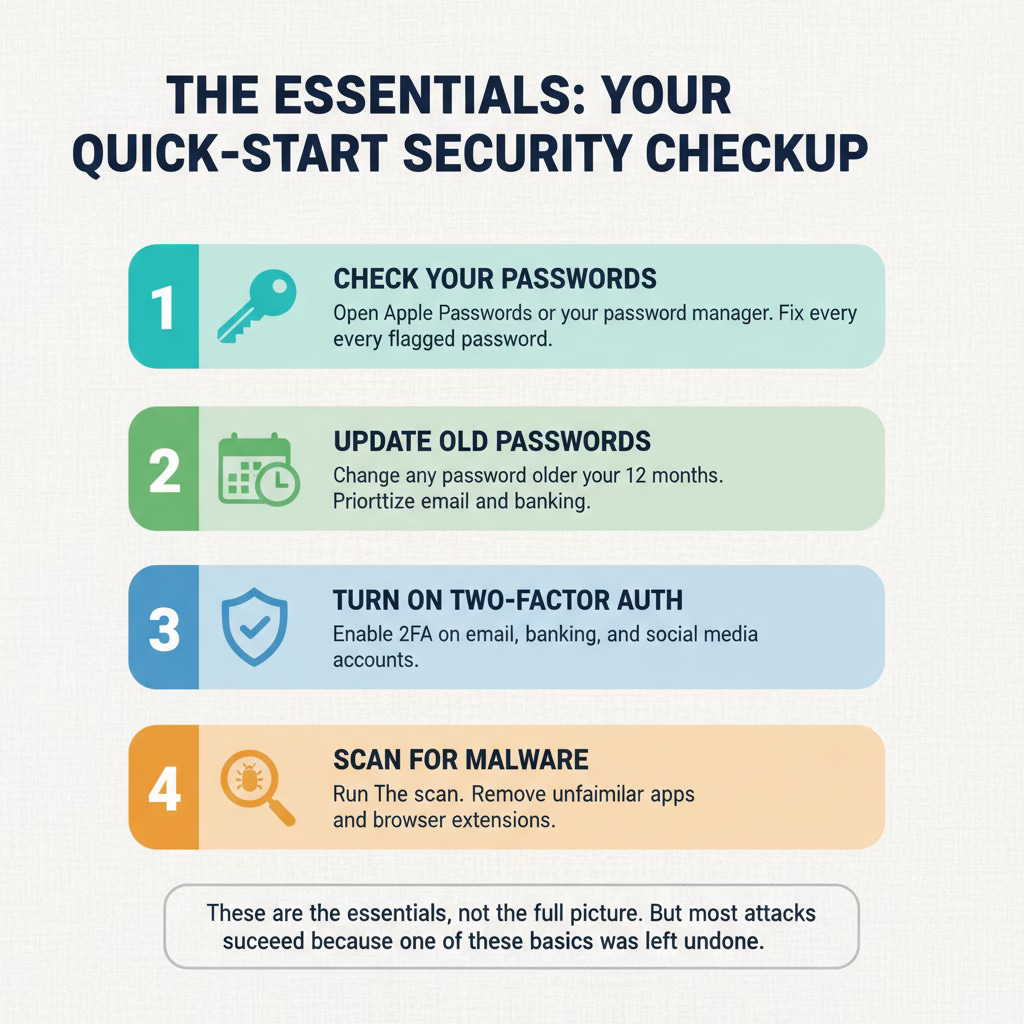
Open Apple Passwords (or your password manager) and fix every flagged password
Change any password you have not updated in the past 12 months
Turn on two-factor authentication for email, banking, and social media
Run a malware scan on your computer
Review and remove unfamiliar browser extensions
Delete apps you no longer use from your phone
Check for unknown device management profiles on your phone
This is not a complete security overhaul. There is more you can do: removing your information from data broker sites, setting up credit monitoring and fraud alerts, reviewing your privacy settings on social media, and hardening your home network. We will cover those in future editions.
But these seven steps hit the highest-impact areas. Most attacks succeed because one of these basics was left undone. Fifteen minutes now raises the bar for anyone trying to get in.
Thanks for reading, I hope this newsletter helped you. If it did, or if you know anyone who needs this info, please forward this to them!
Research Sources:
Intruvent CTI Cloud
FBI Internet Crime Complaint Center, 2025 Annual Report ($7.7B in elder fraud losses)
FBI El Paso Field Office, “Bereavement Scams” public warning
FTC, “Protecting Older Consumers 2024-2025” report to Congress
AARP Fraud Watch Network, “Obituary Scams Target Grieving Loved Ones”
Blackbird.AI, “AI-Powered Obituary Scams & Targeted Phishing”
NBC Chicago, “Obit Scam: Illinois Widow Targeted” (case study)
CNBC, “How One Retired Woman Lost Her Life Savings” (Marjorie Bloom case)
Experian, “What You Need to Know About Obituaries and Identity Theft”
Komando.com / Brennan Center for Justice, data broker targeting practices
ID Analytics / TIME / NBC News, 2012 study on deceased identity theft (2.5M annually)
New York Department of State, “Ghosting” identity theft of the deceased
Aura, “Identity Theft of a Deceased Person” (Georgia widow case)
Michigan Attorney General, “Obituary Pirates” warning
LA County District Attorney, “Obituary Scams Target Grieving Families”
U.S. Department of Veterans Affairs, surviving family member scam warnings
Malwarebytes, “Data Broker Protection Rule Quietly Withdrawn by CFPB”
USPS Office of Inspector General, change-of-address fraud report (167% increase, 2020-2021)
Apple, “Passwords app” and iCloud Keychain documentation
Last Updated: April 28, 2026