


Your home Internet router is the backbone of your digital life. It is always on, always connected, and for millions of households, it is compromised. But it doesn’t stop there: Your router, your streaming box, or your smart TV may be routing criminal traffic through your home internet connection while you sleep. And the worst parts: you might have installed the device from the factory in a compromised state. You plug it in, and the illicit routing begins.
The FBI Just Shut Down a Two-Million-Device Crime Network
On July 2, 2026, the FBI seized hundreds of internet domains belonging to a service called NetNut. Google, the IRS Criminal Investigation division, Lumen Technologies, and the Shadowserver Foundation all participated in the takedown. The target: a residential proxy network built on top of two million hijacked consumer devices like routers and streaming boxes. But what makes this case alarming is that the service
According to his enlightening article, Brian Krebs showed that researchers at Synthient among other firms identified NetNut is a proxy service owned by Alarum Technologies, a publicly traded Israeli company on the NASDAQ. And what’s alarming is that NetNut is directly linked to a botnet called Popa. Their business model was straightforward: route paying customers’ internet traffic through real home internet connections so it looks like ordinary browsing. The problem is that the “real home connections” belonged to people who never agreed to participate.
In a single week in June 2026, Google’s Threat Intelligence Group observed 316 distinct threat actor clusters using NetNut exit nodes. They included organized cybercriminal gangs and nation-state espionage groups using your neighbor’s router to mask password-spraying attacks against corporate targets, access stolen accounts, and reach their own criminal infrastructure.
This was the second major residential proxy takedown in six months. In January 2026, Google disrupted IPIDEA, an even larger network. During that operation, researchers observed over 550 threat groups routing attacks through home internet connections. IPIDEA had embedded its software into more than 600 Android apps and 3,000 Windows programs.
After the IPIDEA takedown, its network rebuilt to full capacity within a single day by purchasing access from competitors. The demand for criminal traffic laundered through your home Wi-Fi did not disappear. It migrated.
What “Exit Node” Means for You
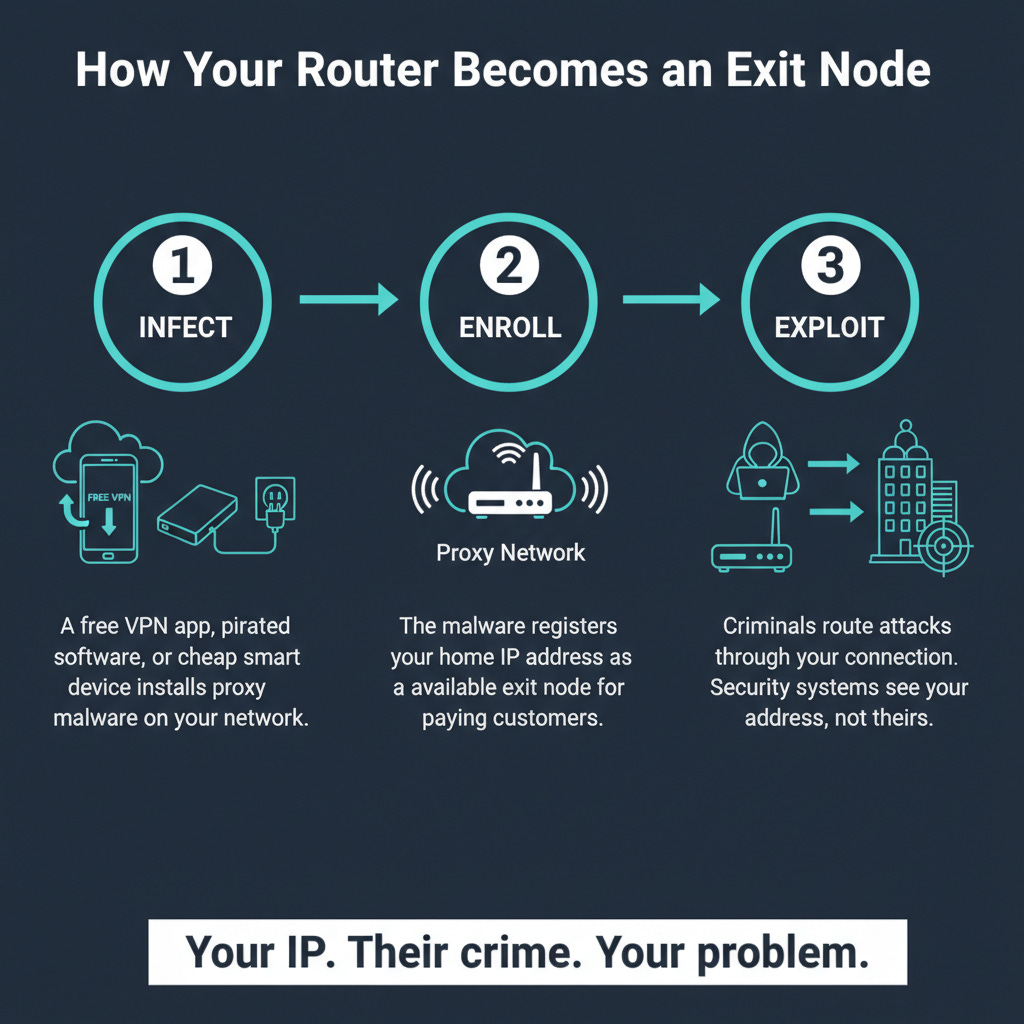
When your device becomes an exit node in a residential proxy network, it means other people’s internet traffic is flowing through your home connection. Your IP address, the one your internet provider assigned to your house, is being rented out to strangers.
Here is what that looks like in practice:
A criminal in another country wants to break into a company’s email system. If they attack from their own IP address, security tools flag and block it immediately. But if they route the attack through your router, the company’s security system sees a login attempt from a residential Comcast address in Ohio. That looks normal. It gets through.
Your internet slows down. When unauthorized traffic is flowing through your connection, your bandwidth is being consumed by activity you did not initiate. Streaming buffers. Video calls drop. Downloads crawl.
Your other devices are exposed. Google’s Threat Intelligence Group confirmed that once a device on your network becomes an exit node, attackers can access other devices on that same home network. Your laptop, your phone, your security cameras: all of them are now reachable from the outside.
Your IP address gets flagged. When a criminal uses your connection to commit fraud, send spam, or launch attacks, your IP address is the one that shows up in the logs. You may find yourself blocked from websites, flagged by your internet provider, or in rare cases, investigated for activity you had nothing to do with.
How Devices Get Recruited
Your home devices can become proxy exit nodes through four main channels. None of them require you to do anything overtly reckless.
1. Free VPN apps
This is the most common path. Free VPN services need to pay for their infrastructure somehow. Many of them do it by enrolling your device in a residential proxy network. The terms of service disclose this, technically, buried in paragraphs of legal text that nobody reads. When you install the app and tap “Accept,” you are agreeing to let strangers route their traffic through your phone.
The FBI’s advisory on residential proxy networks specifically warns consumers to exercise caution before downloading free VPN applications.
2. “Bandwidth sharing” apps
Apps that promise to pay you for your “unused internet bandwidth” are doing exactly what they describe: they are selling your connection to third parties. Some of those third parties are advertisers running market research. Others are criminals who need a clean IP address. The app does not distinguish between them.
3. Pirated software and media
Free games, cracked software, pirated movies, and torrented content frequently come bundled with malware that silently enrolls your device as a proxy node. You think you are getting a free copy of Photoshop. You are getting Photoshop and a second job as an unwitting accomplice.
4. Devices that arrive compromised from the factory
This is the channel that should concern you most, because it requires no mistake on your part.
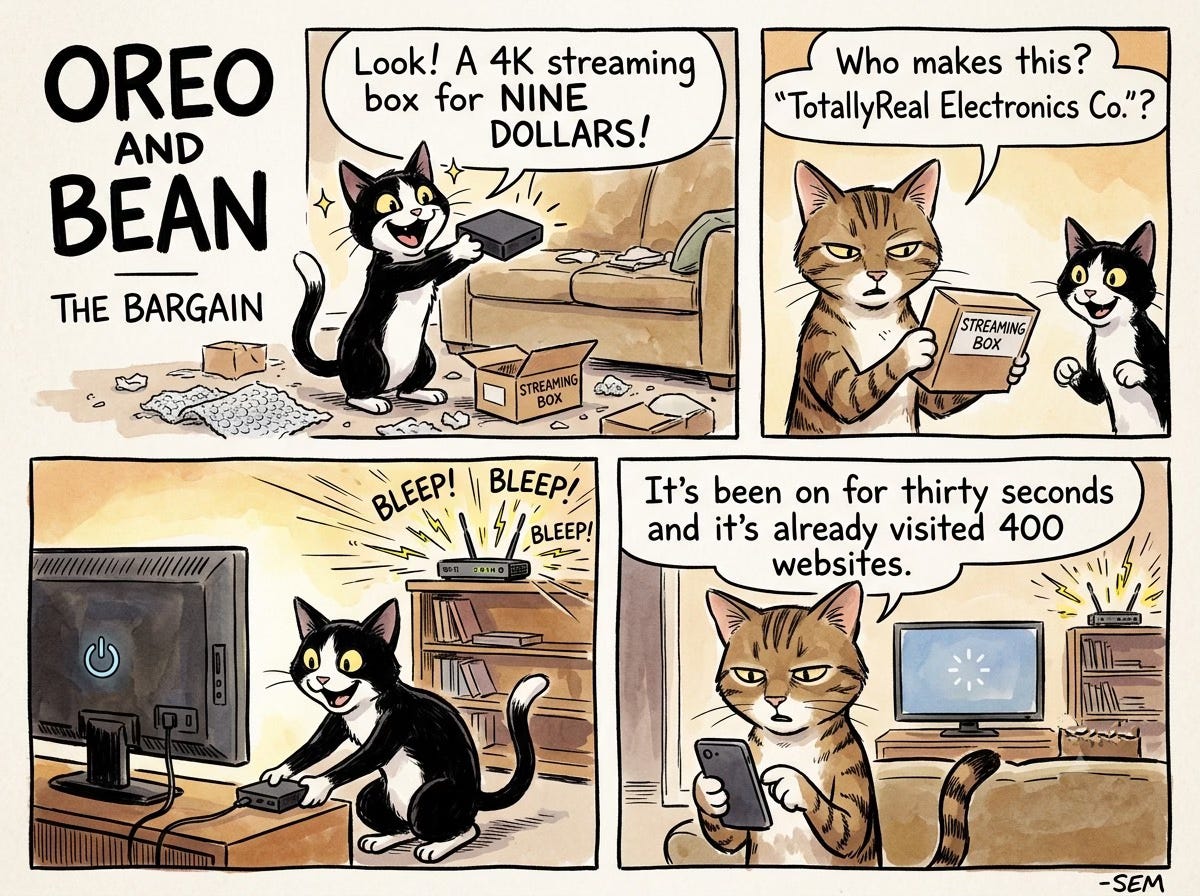
In June 2026, the Wall Street Journal tested five cheap smart home devices purchased from Amazon and Walmart: two digital picture frames and three streaming boxes. All five were compromised out of the box. Within minutes of being plugged in, each device began routing traffic from users around the world through the buyer’s home internet connection. Visits to gambling sites, cryptocurrency platforms, and other destinations started flowing through connections belonging to ordinary families who had just opened a box from Amazon.
The Digital Citizens Alliance estimates that 20 million American homes currently have at least one infected device. The proxy software is baked into the firmware at the factory. Firmware updates cannot remove it because the manufacturer put it there intentionally.
US intelligence agencies have confirmed that Chinese state-sponsored hacking groups Volt Typhoon and Flax Typhoon route espionage traffic through exactly this kind of compromised consumer device infrastructure. A joint advisory issued in April 2026 by CISA, the FBI, the NSA, and eleven international cyber agencies described this as a deliberate strategic shift.
The Numbers
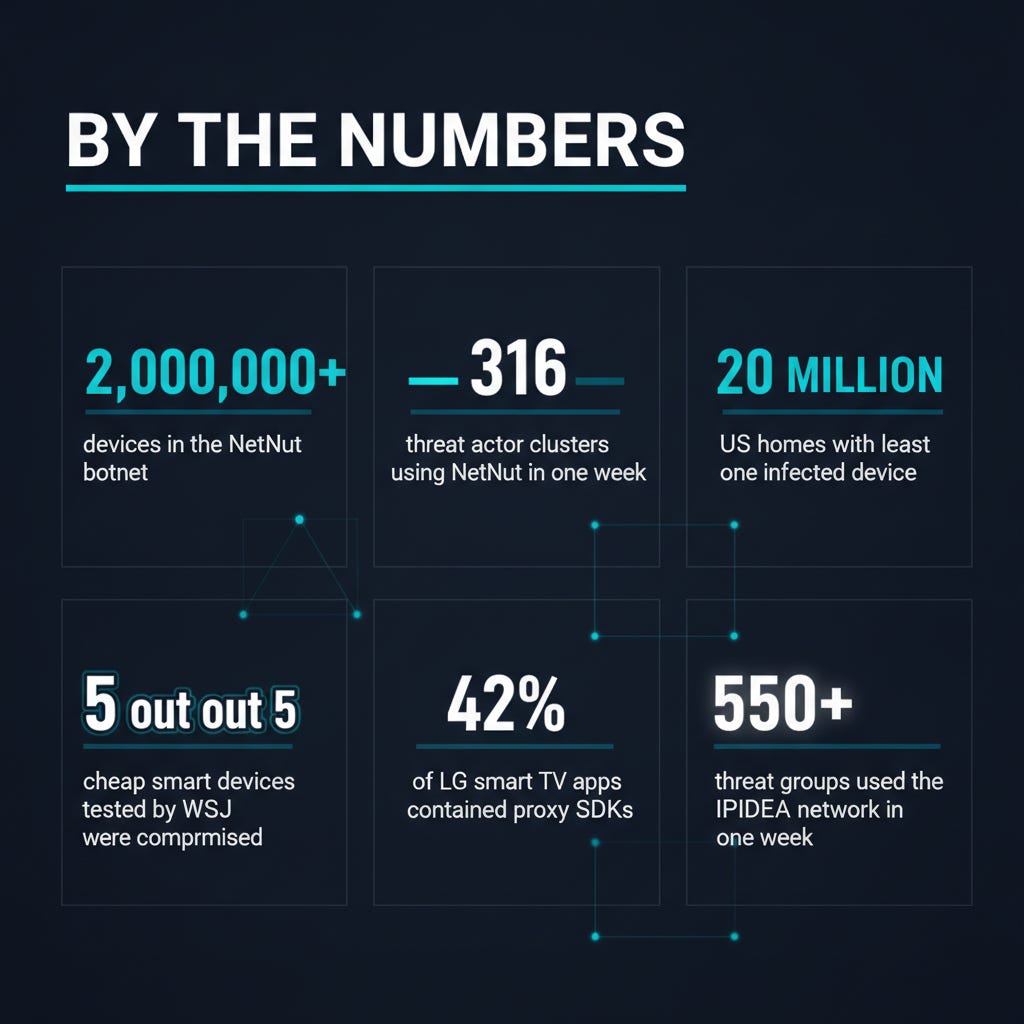
2 million+ devices in the NetNut botnet at the time of the FBI seizure
550+ threat groups observed using the IPIDEA network in a single week
316 threat clusters observed using NetNut exit nodes in a single week in June 2026
20 million US homes estimated to have at least one infected device
5 out of 5 cheap smart devices tested by the Wall Street Journal were compromised out of the box
42% of LG webOS apps and 25%+ of Samsung Tizen apps found to contain residential proxy SDKs
65% of enterprise customers queried domains associated with residential proxy networks in 2026
Is Your Network Compromised Right Now?
There is a way to check. Spur, an internet intelligence firm that participated in both the IPIDEA and NetNut investigations, offers a free public tool that analyzes whether your home IP address is currently registered as a proxy node.
Visit the tool from your home Wi-Fi (not from a VPN or cellular connection). If it shows your IP is flagged as a residential proxy, one of your device is likely an exit node.
Beyond that, here are signs that something on your network is working a second shift:
Unexplained slowdowns. If your internet speed drops without an obvious reason (no one streaming, no large downloads), unauthorized traffic may be consuming your bandwidth.
Higher-than-normal data usage. Check your internet provider’s dashboard for your monthly data consumption. A sudden spike that does not match your household’s habits is worth investigating.
Devices running hot or draining battery faster. Proxy malware keeps the network adapter active even when the screen is off. A phone or tablet that runs warm while sitting idle on a nightstand may be routing traffic.
Getting blocked from websites. If you start seeing CAPTCHAs on every site or get blocked from services you normally access, your IP address may have been flagged for suspicious activity that someone else is performing through your connection.
The Fix: Five Things You Can Do This Week
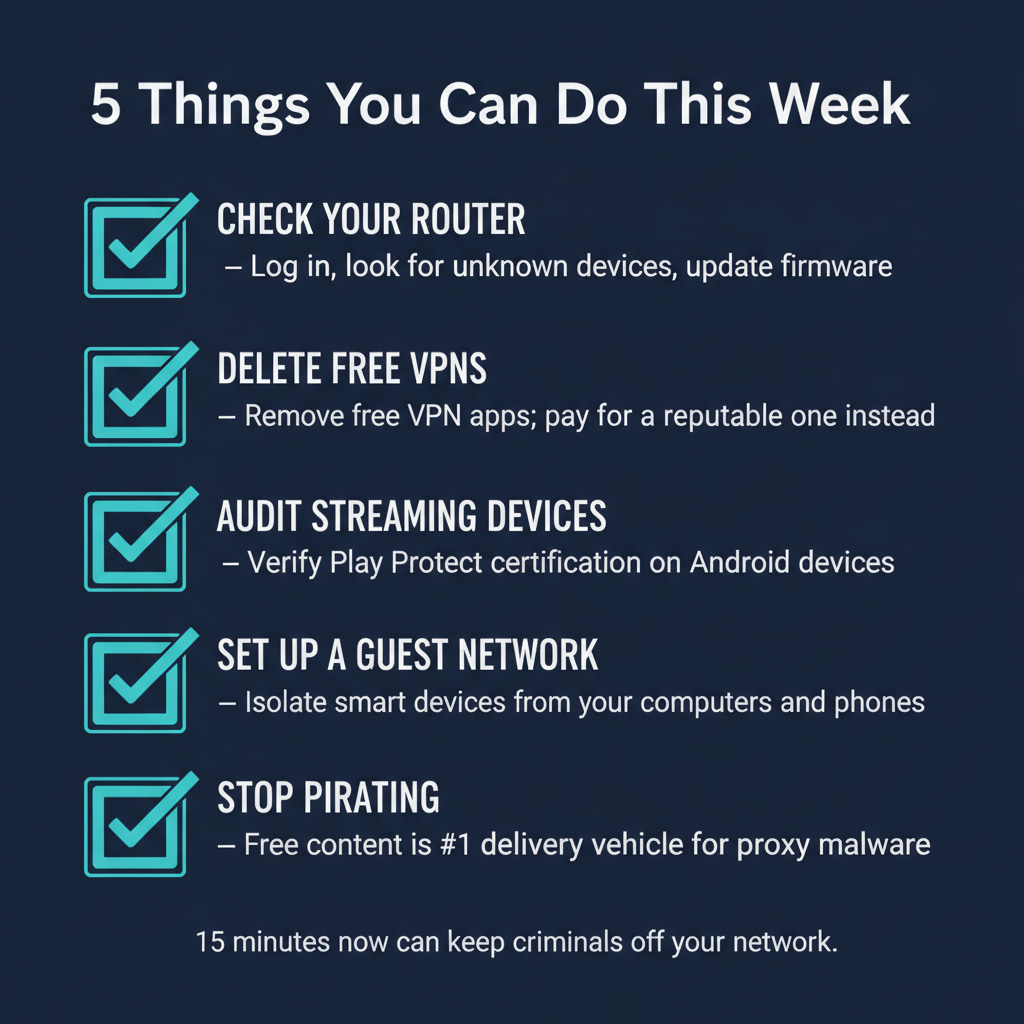
1. Check your router’s admin panel.
The FTC has a step-by-step guide for logging in. The short version: look at the sticker on the bottom of your router for the admin address and default password, or search “[your router brand] admin login” online. Once you are in, look at the list of connected devices and disconnect anything you do not recognize. While you are there, make sure your router’s firmware is up to date. Most routers have an “Update” button in the admin panel. If your router is more than five years old, it may no longer receive updates, which means known vulnerabilities will never be patched. That is worth a replacement.
2. Delete free VPN apps.
If you installed a free VPN on your phone, tablet, or streaming device, remove it. If you need a VPN, pay for one from a reputable provider with a clear privacy policy and a track record of independent audits. The cost is typically $3 to $8 per month. If the VPN is free, you are the product.
3. Audit your streaming devices.
If you own a cheap streaming box, smart TV dongle, or digital picture frame from an off-brand manufacturer, check whether it carries Google Play Protect certification. On Android devices: open the Google Play Store, tap your profile icon, go to Settings > About, and look for “Device is certified.” If it says anything else, or if the Play Store is not present, treat the device as suspect. The FBI specifically warns against devices that ask you to disable Play Protect during setup.
4. Set up a guest network.
Most modern routers support a guest Wi-Fi network. Put your IoT devices (smart TVs, streaming boxes, smart speakers, cameras, picture frames) on the guest network and keep your computers and phones on the primary network. This way, if a smart device is compromised, it cannot reach your laptop or phone.
5. Stop downloading pirated content.
This is the advice nobody wants to hear. Free games, cracked software, and pirated movies are the primary delivery vehicle for proxy malware. The FBI’s advisory names this as a top infection vector. A $15 streaming subscription is cheaper than having your home network conscripted into a criminal botnet.
The Bottom Line
Your home router is the front door to your digital life. Everything in your house connects through it: your banking, your email, your kids’ homework, your security cameras. When a criminal turns that router into an exit node, they are not just borrowing your internet connection. They are standing inside your network, with access to everything connected to it, using your address as their alibi.
The FBI and Google just shut down a network that had conscripted two million devices. But the market for residential proxies did not disappear with it. After the last takedown in January, the network rebuilt in a single day. The next one is already being assembled.
Take fifteen minutes this week. Log into your router. Delete the free VPN. Check your streaming boxes. Set up a guest network. Run the Spur check on your IP address.
Two million devices were working for criminals last week. Make sure yours is not one of them.
If you believe your devices have been compromised:
FBI IC3: ic3.gov
FTC: reportfraud.ftc.gov or 877-382-4357
Spur IP Check: spur.us/context
Your ISP: Contact your internet provider if your IP has been flagged; they can issue a new address
Sources
FBI Seizes NetNut Proxy Platform, Popa Botnet (Krebs on Security, July 2026)
Google’s Continued Disruption of Malicious Residential Proxy Networks (Google Cloud Blog, July 2026)
Google Disrupts NetNut Residential Proxy Network Spanning 2 Million Home Devices(The Hacker News, July 2026)
NetNut proxy network disrupted, 2 million infected devices cut off(BleepingComputer, July 2026)
NetNut botnet takes a hit. Don’t be part of the next one. (Malwarebytes, July 2026)
Disrupting the World’s Largest Residential Proxy Network (Google Cloud Blog, January 2026)
Cheap Amazon TV boxes and photo frames are secretly committing crimes(Techlicious, June 2026)
FBI and Google Disrupt NetNut Botnet That Rented 2 Million Home Devices to Spies(TechTimes, July 2026)
FBI, Google Take Down NetNut Proxy Network Used by Cyber Threat Actors(Infosecurity Magazine, July 2026)
Prevent This is a weekly cybersecurity newsletter from Intruvent Technologies. Each week, we break down one cyber threat in plain language and give you the tools to protect yourself and the people you care about. For our bi-weekly technical deep dive, check out Intruvent Edge.