

Prevent This: AI Rookie Mistakes
Your coworkers are already using AI. Here's how to catch up without getting burned.

The Problem: You’re Missing Out (But You’re Also Right to Be Cautious)
Editor's Note: This article is for educational purposes. AI tools change frequently, and every organization has different policies. Before using AI for work tasks, check with your IT department first. Experiment with personal projects before relying on AI for anything important, and never put sensitive information into any AI tool. You're responsible for how you use these tools.
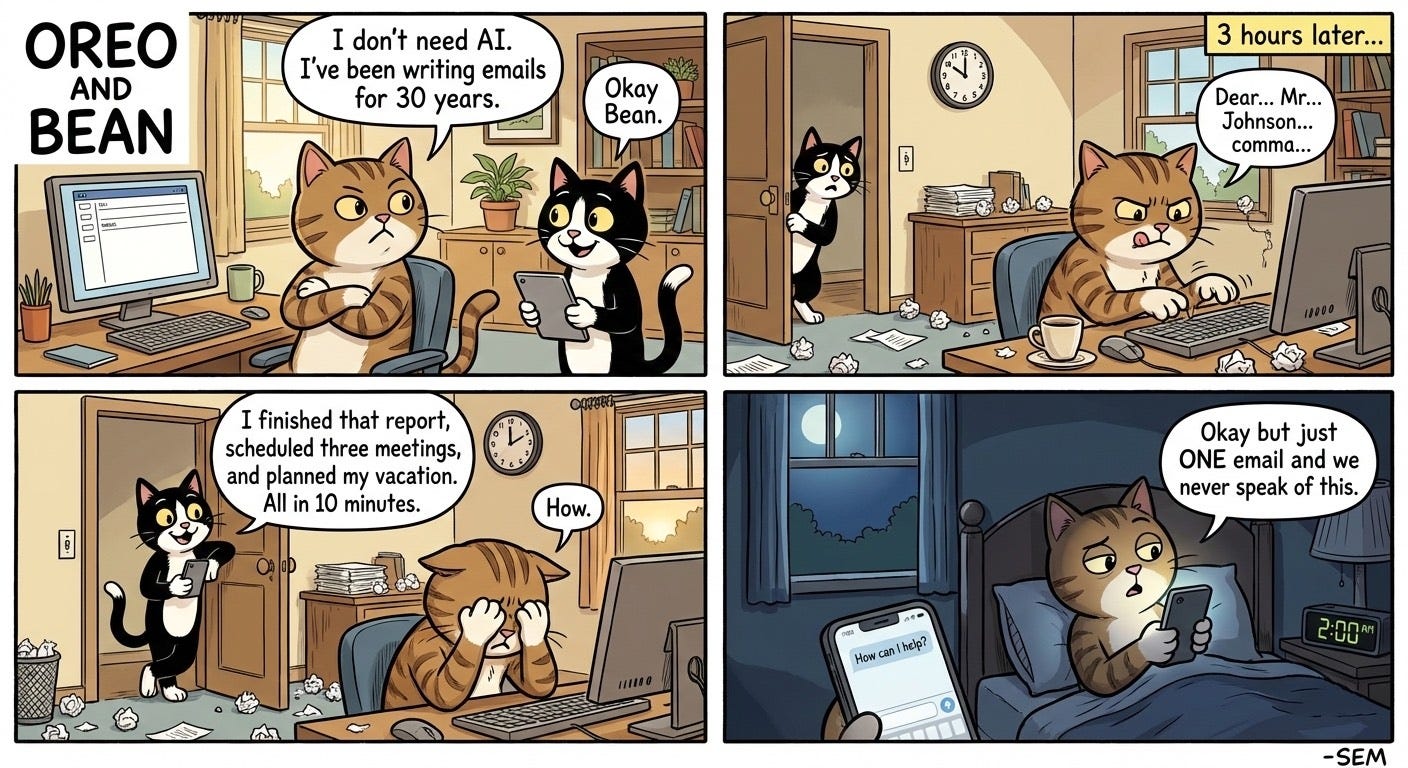
Let’s be honest. If you haven’t started using AI tools yet, you’re falling behind.
Your coworkers are using them. Your competitors are using them. That junior employee who seems weirdly productive? AI. That colleague whose emails suddenly became much better? AI.
But you’ve also heard the horror stories. Data leaks. Privacy concerns. Maybe you are intimidated by all of the technology.
Your concerns are valid. AI tools are genuinely useful. They’re also genuinely risky if you don’t know what you’re doing.
This article will help you get started safely.
The Easy On-Ramps: Fun Experiments to Get You Started
The best way to understand AI is to play with it. Here are some experiments you can try today.
For everyday tasks and creative problem-solving: Claude (claude.ai)
Claude is an AI assistant made by Anthropic. You can use it for free at claude.ai. Here are some things to try:
The practical stuff:
Paste in a long email thread and ask “What are the action items here?”
Describe a problem you’re stuck on and ask it to brainstorm solutions
Draft a tricky email when you don’t know how to start
The fun experiments:
The Kid’s Homework Helper: Take a picture of your child’s math worksheet. Don’t ask for answers. Ask Claude to explain the concept in a way a 10-year-old would understand.
The Travel Planner: Upload a screenshot of your calendar and say “I have a free weekend in March. I like hiking and hate crowds. What are three trips within driving distance of [your city]?”
The Mystery Object: Find something weird in your garage, basement, or junk drawer. Take a photo and ask “What is this thing and what is it used for?”
For images and visual creativity: Google Gemini with Nano Banana
Google’s Gemini app includes an image generator called Nano Banana. You can access it at gemini.google.com or through the Gemini mobile app.
The practical stuff:
Create a quick graphic for a presentation
Generate a placeholder image for a project mockup
Turn your handwritten diagram into a clean, professional visual
The fun experiments:
The Kid Art Upgrade: Take a photo of your child’s drawing. Ask Gemini to “Turn this into a realistic image while keeping the original style and subject.” Watch their crayon dinosaur become a movie poster.
The Room Makeover: Take a photo of a room in your house. Ask “Show me this room with blue walls and modern furniture.” Preview renovations before you commit.
The Pet Portrait: Upload a photo of your dog or cat. Ask Gemini to “Turn my pet into a royal portrait painting” or “Show my cat as an astronaut.”
The point is to experiment. You’ll quickly discover their strengths, where they struggle, and how they might fit into your actual life.
The Security Basics: What Not to Do
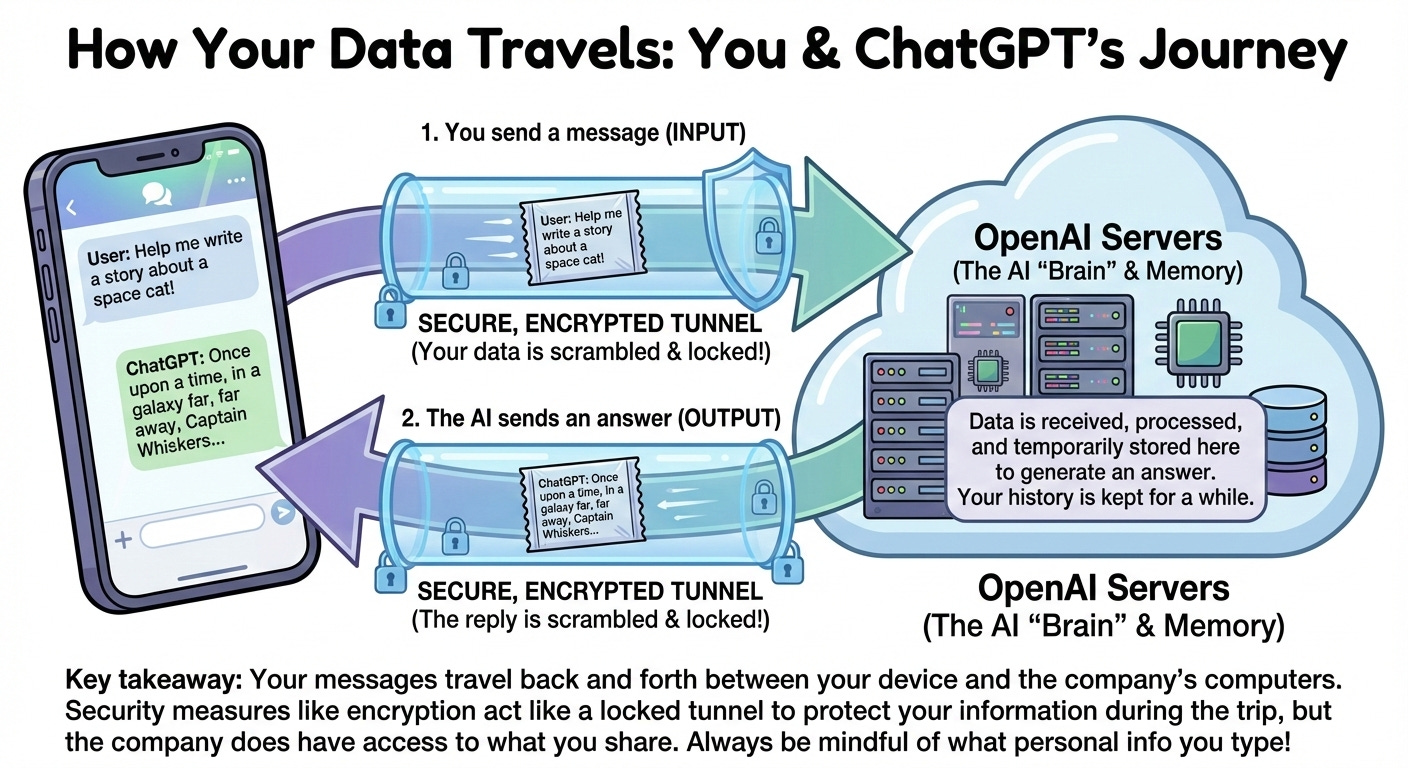
Fun experiments right? Let’s take a quick look behind the scenes at what happens when you prompt an AI tool like Claude or ChatGPT:
Never put these things into an AI chat:
Passwords or login credentials (seems obvious, but people do it)
Social Security numbers, credit card numbers, or bank account info
Client names, case details, or confidential business information
Medical records or personal health information
Trade secrets or proprietary code
Anything you wouldn’t want printed in tomorrow’s newspaper
Treat AI like a very smart stranger.
You wouldn’t hand a stranger on the street a folder full of your client files and ask them to summarize it. Apply the same logic here. AI tools are helpful, but the companies running them can see any personal information that you type. Some use your conversations to train future models. Even if they promise they won’t, data breaches happen.
Check your company’s policy.
Many organizations now have rules about which AI tools employees can use and what data can go into them. Some have approved enterprise versions with stronger privacy protections. Ask your IT department before you start using AI for work tasks.
Use separate accounts.
If you’re going to experiment with AI, consider using a personal account for personal stuff and keeping work tasks on approved platforms. This prevents accidental mixing of sensitive information.
The Cautionary Tale: Reprompt and Microsoft Copilot
Here’s why all that caution matters.
In mid-January, security researchers discovered an attack they called “Reprompt” that targeted Microsoft Copilot users. The attack worked like this:
An attacker sends you a link that looks legitimate
You click it (just one click)
The link secretly injects instructions into your Copilot session
Copilot starts answering the attacker’s questions about you
The attacker could ask Copilot things like “Where does this user live?” or “What files did they access today?” or “What vacations do they have planned?” Copilot would answer because, as far as it knew, the questions were coming from you.
The worst part? This kept working even after you closed the Copilot window. The attacker maintained access to your session and could keep asking questions in the background.
Microsoft has since patched this vulnerability. But it shows exactly why you need to be thoughtful about AI tools:
AI assistants have access to a lot of your information. Copilot can see your emails, your files, your calendar. That’s what makes it useful. It’s also what makes it dangerous if someone hijacks your session.
One click was all it took. The victim didn’t have to install anything, approve any permissions, or interact with Copilot at all beyond that first click.
Detection was nearly impossible. Because the malicious instructions came from the attacker’s server after the initial click, security tools couldn’t see what was being stolen.
What Can You Do?
Keep everything updated.
The Reprompt attack was patched in Microsoft’s January 2026 update. If you haven’t installed recent updates, do it now. This applies to your operating system, your browser, and any AI tools you use.
Be suspicious of links, even from people you know.
Phishing remains the number one way attackers get initial access. That includes links that open AI assistants. If something feels off, don’t click it.
Review what your AI assistant can access.
Most AI assistants let you control the data they can see. Take a few minutes to review these settings. Does your AI assistant really need access to your entire email history? Maybe. Maybe not.
Use AI tools from reputable companies.
Stick with established players like Claude, ChatGPT. Google Gemini, and Microsoft Copilot. Random AI tools you find online might be harvesting your data or worse.
Don’t paste sensitive data, period.
Even with all the security in the world, the safest approach is simply not putting sensitive information into AI systems. Use them for general tasks. Keep confidential work in secure, approved channels.
The Bottom Line
AI tools are too useful to ignore. They can save you hours every week on routine tasks. But they’re also new territory with new risks.
Start small. Try Claude for drafting an email or Gemini for creating a quick image. Get comfortable with how these tools work before you rely on them for anything important.
And remember: the same features that make AI assistants helpful (access to your data, ability to take actions on your behalf) are exactly what attackers want to exploit. A little caution goes a long way.
Your coworkers are already using AI. Now you can too, without becoming the next cautionary tale.
We will cover some more advanced use cases and experiments in future editions of Prevent This. In the meantime, I look forward to Thursday when we will deliver the next edition of Intruvent Edge and delve into some specific advanced threat actors.
Research Sources: Varonis Threat Labs Reprompt Research, Microsoft January 2026 Security Update, Google DeepMind Nano Banana Documentation, Anthropic Claude Documentation
Last Updated: January 26, 2026